The Complete Beginner’s Guide to War Thunder

war thunder 4 Comments »

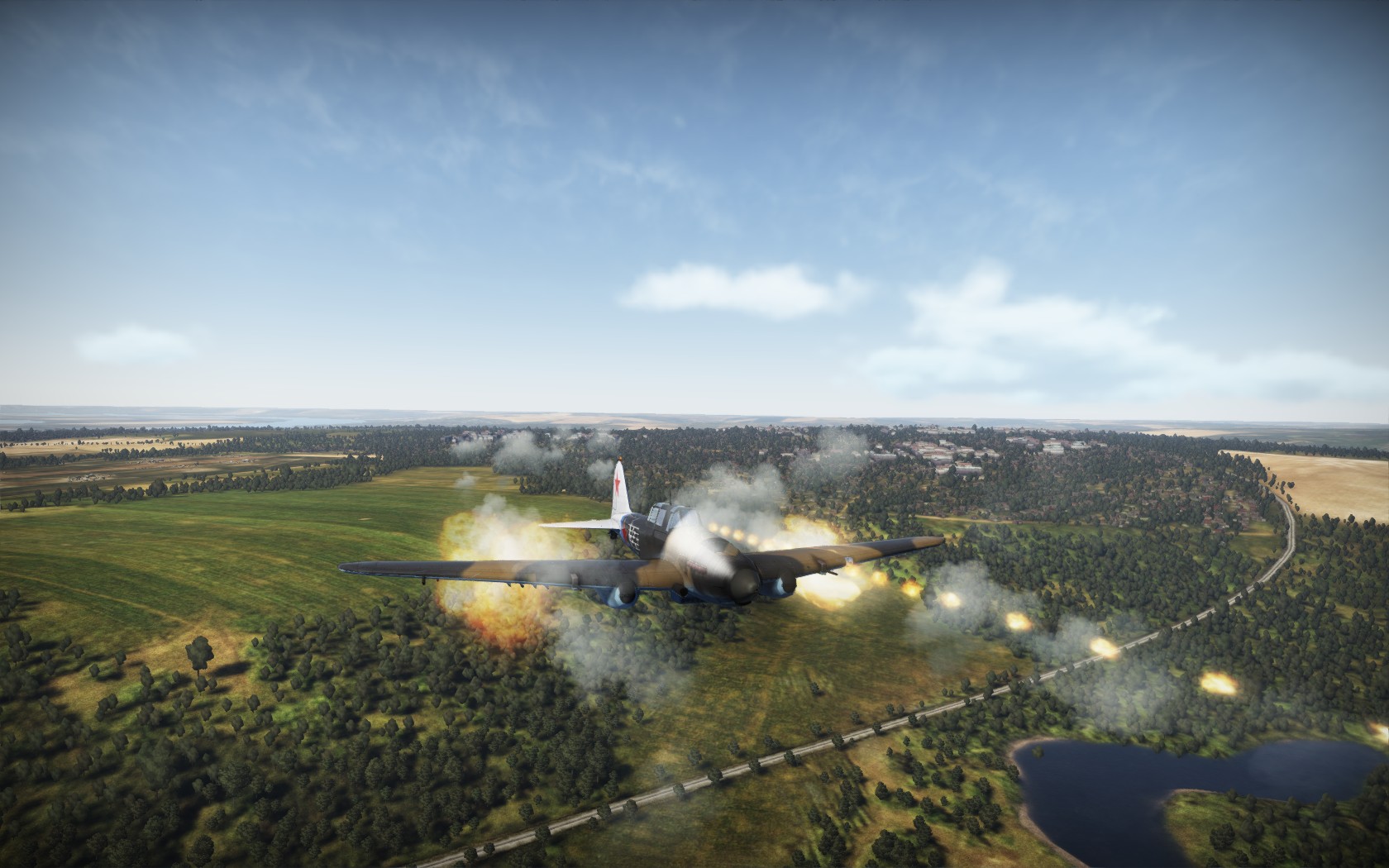
A Hurricane in War Thunder

If you’re a new player looking to get started in War Thunder, the multiplayer online World War II flight sim from Gaijin Entertainment, these guides may help:

Note: this guide was written with the game at version 1.27, I’ll try and note significant changes in future updates where relevant. Some of the screenshots may also be out of date due to interface changes, but the general principles should still apply.

Posted by Zoso at 7:13 pm

A Beginner’s Guide to War Thunder, Part 4

war thunder, zoso 2 Comments »

We’ve had a letter about our series of War Thunder guides, from a Mr J. Clarkson. He says: “Dear KiaSA, never mind all of this signing up and game mode and aircraft type nonsense, how can I paint ‘The Fighting Cock’ on my aeroplane?” Well, Mr Clarkson, you’re in luck, as Part 4 is a bit of a miscellaneous wrap-up, starting with with aircraft camouflage and decals.

Camouflage and Decals

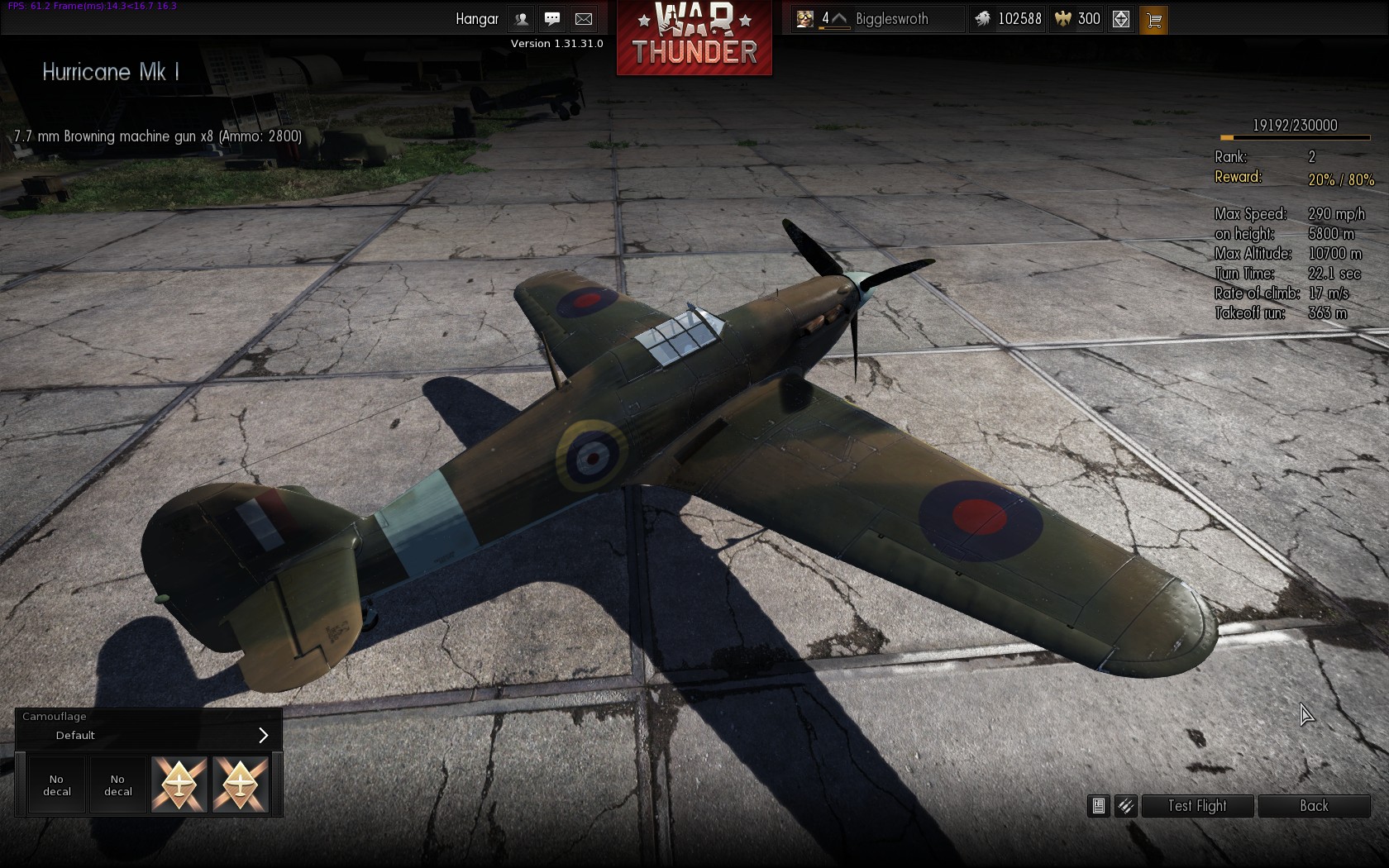
Click the left hand icon over any of your planes, “Hanger”, to open the hanger view. From here there’s a “Test Flight” button on the right, if you’d like to try out some aerobatics without a bunch of people trying to shoot you down, and an “Information” button in the middle of the three on the left for a bit of historical detail about the plane. The one we’re interested in, though, is the button with the paintbrush icon next to it, “Paint”.

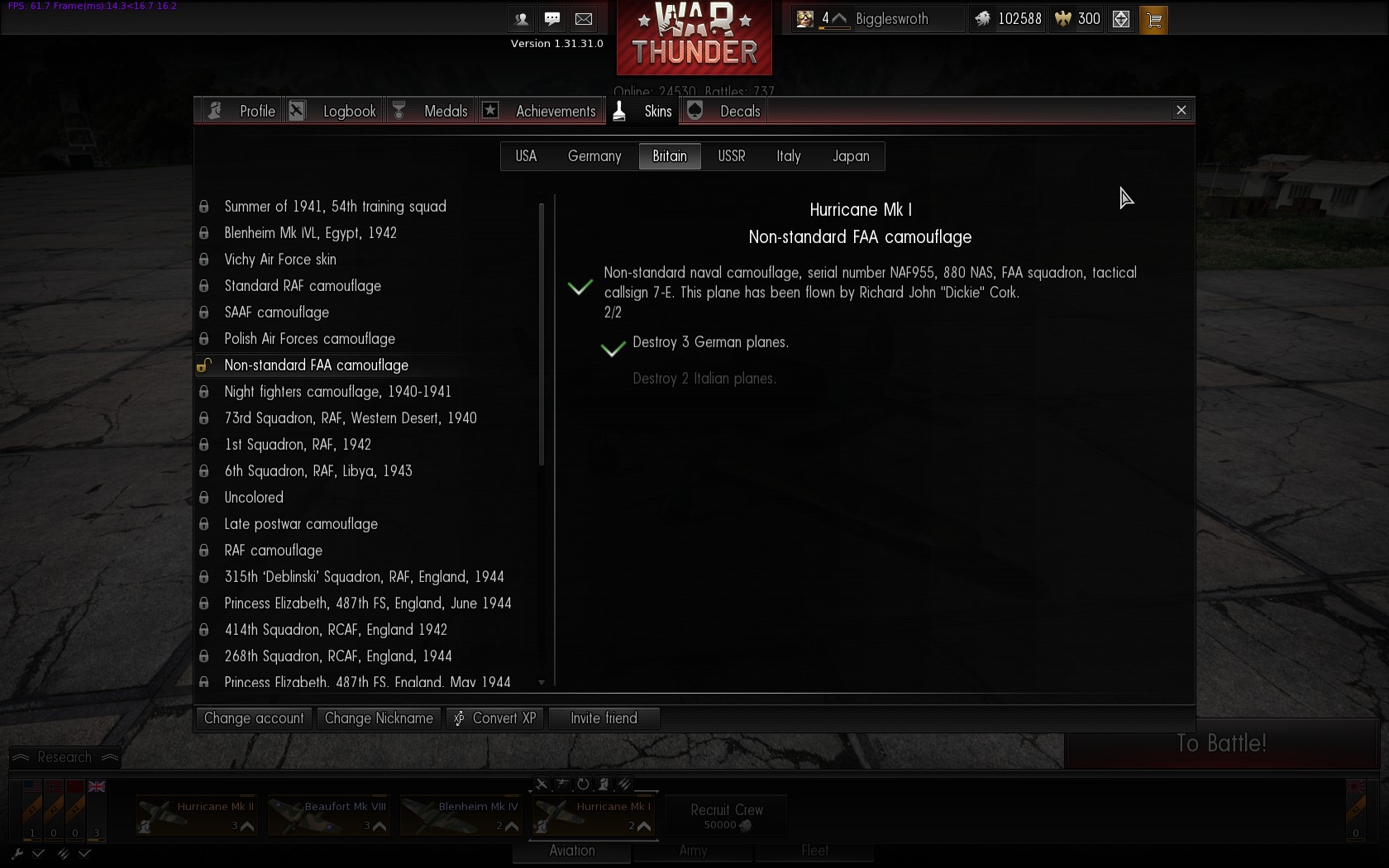
The first choice to make is the base camouflage skin. Most aircraft start with a single skin (in which case you’ll move straight on to the Decal step), but you may have an alternative; the Hurricane I, for example, has a Polish Air Forces camouflage option:

Selecting the main camouflage option

Selecting the main camouflage option


Further skins for some aircraft can be unlocked by completing challenges; you can see all unlockable skins and the criteria for obtaining them under “Profile”, in the top right of the screen, along with decals, challenges and medals.

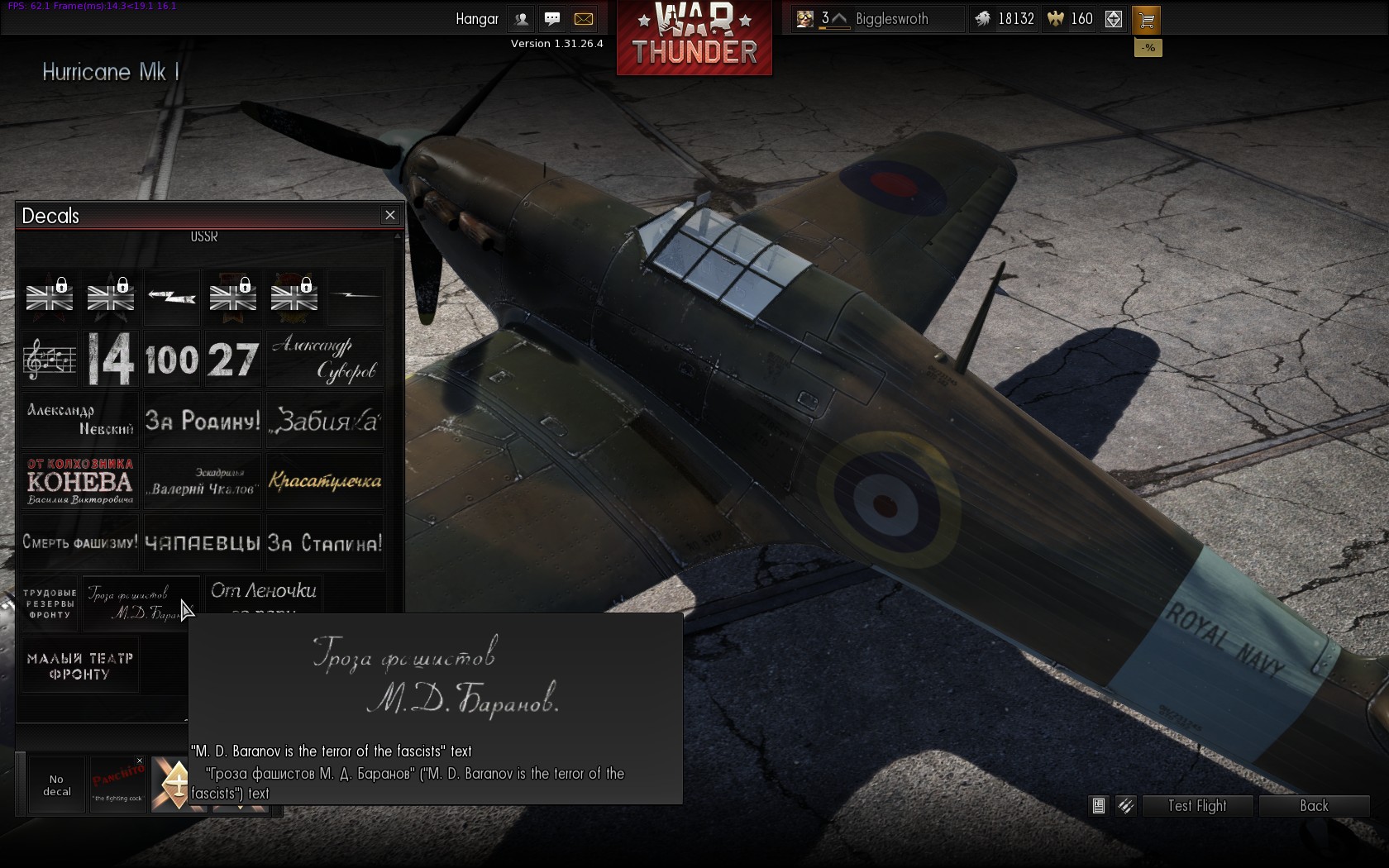
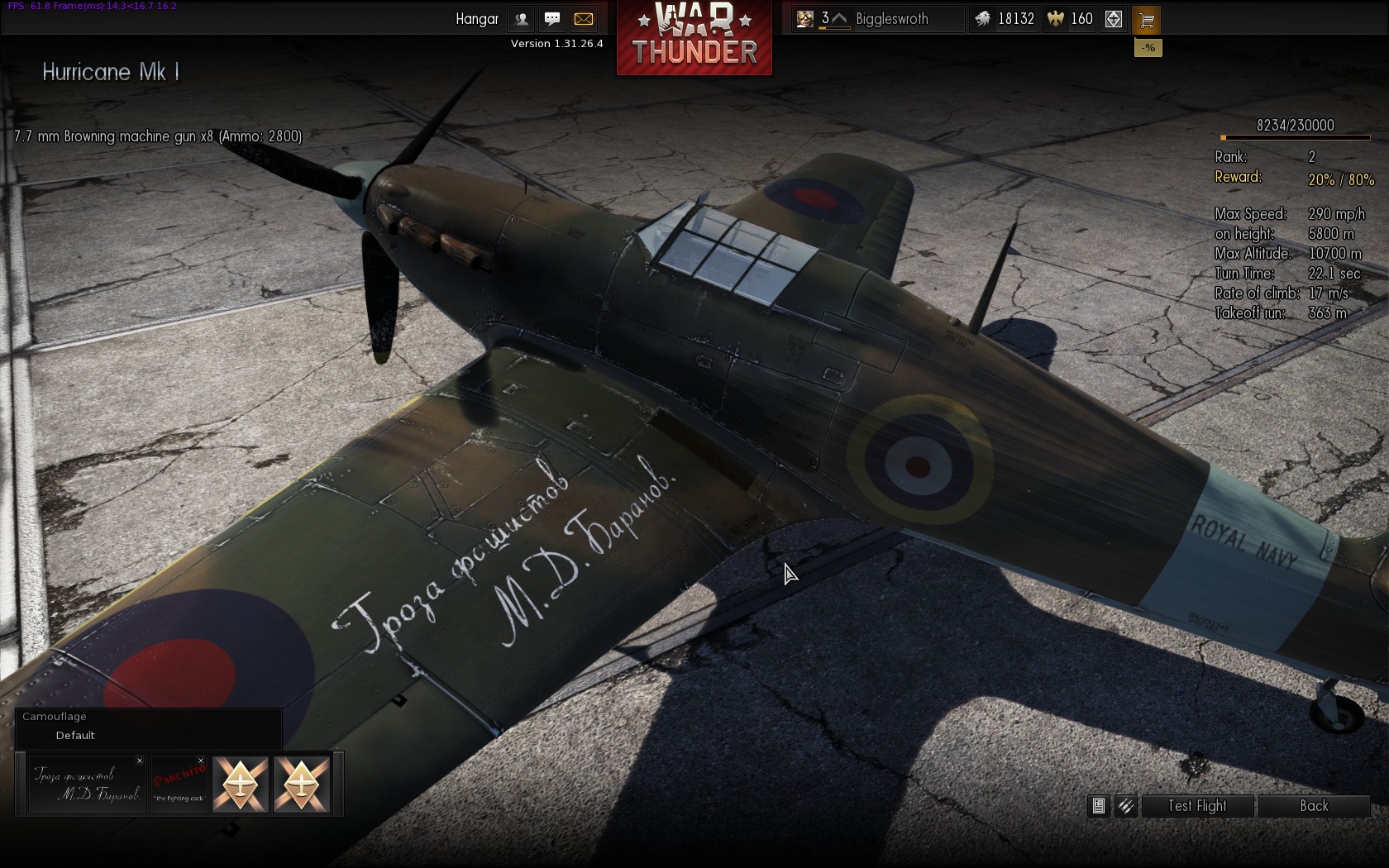
After choosing the basic paint scheme you can add your own your own touches via decals. Everyone has access to two decal slots, with more being available to premium players. Select a decal slot, and you’re presented with various categories of decal. Select a category, and you can browse the entries within; I find the interface a little clunky, but it’s usable. You get plenty to start with, and unlock more as you play. Decals don’t appear to be limited to the nation of your selected plane, so if you’d like your Hurricane to proclaim that M. D. Baranov is the terror of the fascists or to have the insignia of Jagdschweder 26…
Apparently M. D. Baranov is the terror of the fascists Jagdgeschwader 26 emblem on a Hurricane
… then you can. Hold the right mouse button to pan around your aircraft, and as the on-screen guide says use Shift+mouse wheel scrolling to change the size of the decal (you can manage some pretty gaudy effects by scaling decals up to cover most of the plane), and Alt+mouse wheel to rotate it.

For Mr Clarkson’s benefit, in the “Allies (inscriptions)” section he can find “Panchito: the fighting cock”, based on US Bomber nose art inspired by a Disney character, though perhaps he was thinking of No. 43 Squadron, The Fighting Cocks.

Crew Skills

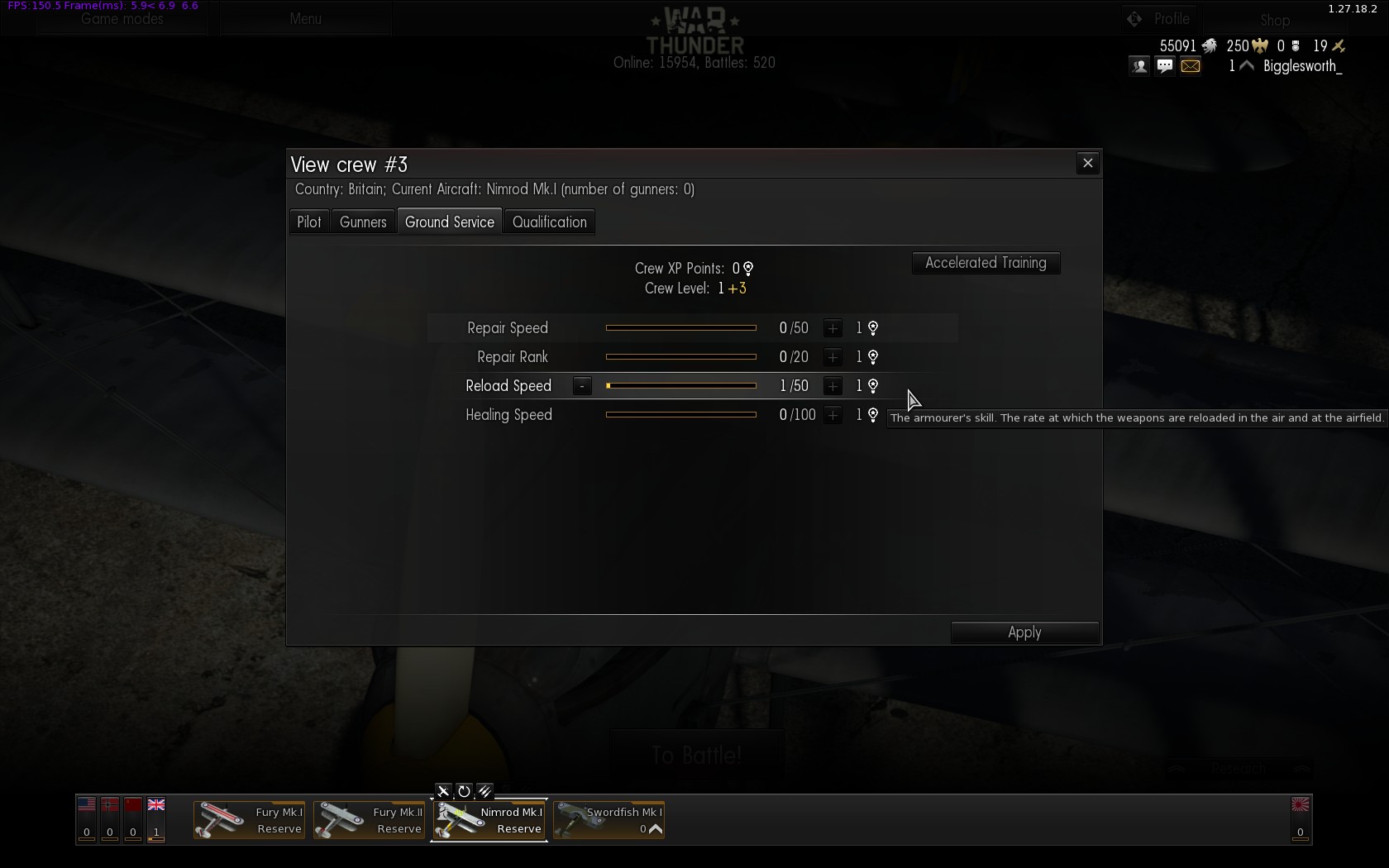
As you gain air force ranks, your crews are also gaining skills. The third button over a plane, the pilot’s head icon, opens the crew window with four tabs: Pilot, Gunners, Ground Service and Qualification. There’s a good guide to skills on the Wiki, including tables showing how much faster you reload with higher skills. The amount of crew XP needed to raise a skill by one point increases as the skill goes up, so it doesn’t make much sense to pump all the points into a single skill

Skill Selection - Ground Service

Skill Selection – Ground Service

You’ll probably want to focus on the Pilot for a single-seat aircraft, not much point improving Gunner skills (unless you’re planning to put the crew into a different aircraft later; the crew retain their skills). With multi-crew aircraft the Gunner skills are more important; the first of these, “Number of experienced gunners”, is crucial as you start with a single skilled gunner, and if you have more than one turret position on your aircraft (quite likely on medium and heavy bombers) then the effect of skill points spent in the other areas is dramatically reduced. Extra skilled gunners are awfully expensive at 240 crew XP; you can use the “Accelerated Training” option to purchase crew XP for golden lions, otherwise it’s a lot of saving up. The third tab, Ground Service, allows you to speed up repair and rearming times; Reload Speed is especially useful in Arcade mode where you don’t even have to land to reload. The final tab, Qualifications, are specialisations that can be purchased (for silver lions) for each aircraft once your crew reaches a certain level, and offer a hefty boost to a number of other skills.

Repairing

Although your great skill and masterful tactical aptitude will surely ensure you emerge from most battles unscathed, every now and again, through pure bad luck or unsporting enemy behaviour, you might get shot down. Or rammed by an enemy aircraft. Or rammed by a friendly aircraft. Or you might misjudge a strafing run and prune a few treetops with your wings (note: your aircraft warranty doesn’t cover using the plane for horticultural purposes). Or your graceful landing attempt to capture an enemy airfield may result in an interaction with the ground at a somewhat higher velocity than would be ideal. On reflection, it’s incredibly unusual to come through a battle unscathed, so you’ll need to repair your aircraft. By default this is done automatically, but if you want to save a bit of money you can un-check the box in the bottom left of the screen next to the spanner, “Automatic repair of all airplanes after battle”; your aircraft will then gradually be repaired for free over time. Each aircraft gets 10 free repairs after you buy it, you can see how many are remaining, along with the time to repair for free and average repair cost, in the stats of a plane when you mouse over it. The Rank 1 Gladiator takes 21 minutes to repair for free, or on average costs 208 lions, for the Rank 19 Meteor if you don’t want to pay 21,960 lions then you’ll need to wait 17 days, 1 hour and 56 minutes! I tend to switch between two or three different nations while waiting for aircraft to repair, or you can always manually repair an aircraft (a spanner icon appears on its bar if damaged) if you’re in more of a hurry.

Premium Accounts and Planes, and Converting XP

As mentioned in Part 1 there are two currencies in the game: Silver Lions earned from playing missions and battles, and Gold Eagles bought with real money. Gold Eagles have several uses: each nation has three crew slots to start with, a fourth and fifth can be bought with silver lions, then further crews cost gold eagles. Crew XP can be purchased with gold eagles in the “Accelerated Training” option, as per “Crew Skills” above. You can purchase some Premium Aircraft with gold eagles; these are usually shown on the right hand side of a nation’s tech tree, and tend to be more unusual variants, often foreign aircraft.

The “Shop” button in the top right of the screen has a few more options. You can upgrade to a Premium Account, boosting the amount of experience and lions you earn from battles (the results screen at the end has a “Here’s what you could have won…” section, showing how much you would have earned with a premium account). The Store features a couple of campaigns, and starter kits containing both premium aircraft and gold eagles.

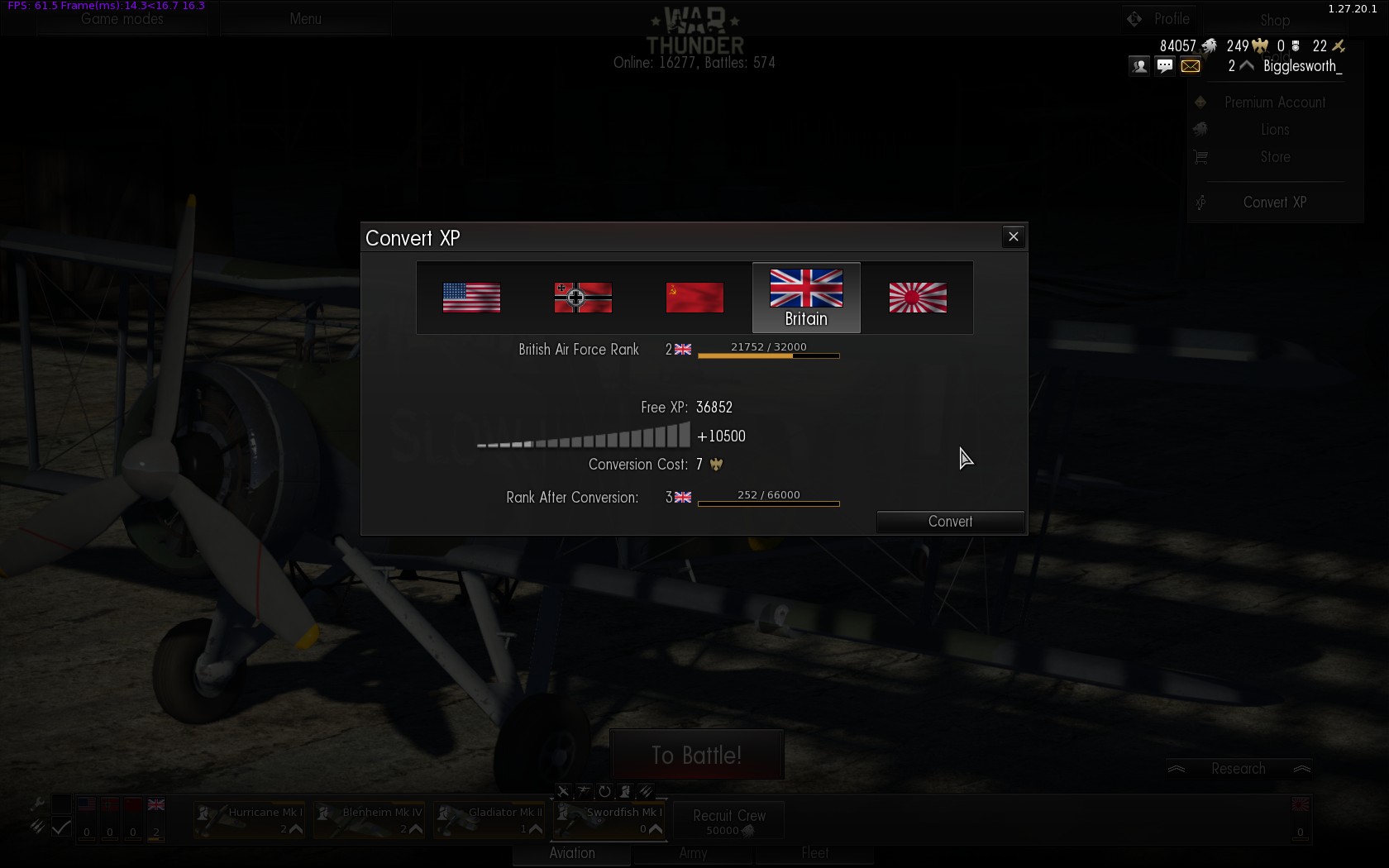
As you gain ranks for a particular country you also gain “Free XP”, this can be used with the “Convert XP” option to boost the rank of any country, so you can either really focus on getting to a high rank for one nation, or if you want to try something different but aren’t keen on being stuck in biplanes for a couple of ranks you can skip past those.

Converting XP

In this example I’m spending seven eagles to convert 10,500 Free XP to boost my British Air Force Rank from 2 to 3.

You certainly don’t need to buy any Gold Eagles if you don’t want to; player skill and teamwork will get you a lot further than just spending money. Like many games of the genre I imagine the pressure to spend real money increases as you move up the ranks and the cost of new aircraft, repairs and the like gets steeper and steeper, but if you’re not too hung up on progress and enjoying the battles I wouldn’t worry too much about it. If you feel the game is worth it, though, and want to progress a bit faster, by all means buy some Eagles.

Which country should I play?

I’ve seen a few people asking which country to play; I’ve only played Britain, the Soviet Union and Germany in the low ranks so far so can’t give a definitive answer, but out of those: the British have great fighters, from ranks 2 to 6 you unlock two Hurricanes, two Spitfires and two Beaufighters. They’re not so hot on bombing, though, with a big gap from the Blenheim and Beaufort at ranks 2 and 3 to the Wellington at rank 7. The Germans, conversely, have plenty of bombers at ranks 4 and 5 if you prefer to haul a lot of high explosives around (the Ju-87, He-111, Ju-88 and SM.79, the latter being a rather good Italian plane), but comparatively poor fighters until the Bf-109 at rank 6 (you may want to convert Free XP to skip a couple of ranks, if you an afford it). The Soviets have the ground attack line that builds up to the iconic Sturmovik, but also have decent single seat fighters and medium bombers for a balanced portfolio covering all roles. Note that this is just the early ranks; later on the Germans are much stronger in fighters with few high rank bombers, while the British build up to the Lancaster heavy bomber.

Other Game Modes

These guides are aimed at getting a new player up and running in Arcade mode, a whirling maelstrom of instant action. If you’re seeking more realistic and considered gameplay, you’ll probably want to step up at least to Historical Battles.

Historical Battles use the Realistic mode; you can still fly with a mouse and keyboard quite easily, the Instructor takes care of the basic flying, and you can stay in third person view, but you won’t be able to get away with the really silly stuff from Arcade mode like vertical dive bombing from 30,000 feet in a heavy bomber. You’re limited to one aircraft, no respawns, so choose carefully, and bombs and ammunition don’t reload in flight, you have to return to your airfield and land. Historical Battles are based on real scenarios and therefore have fixed teams (e.g. Germany vs the Soviet Union or Japan vs Britain), though (possibly due to player numbers) your aircraft selection isn’t limited by the date of the battle, so you can find biplanes up against jet fighters. I’ve only poked my nose in a couple of times, they seem to be more tactical affairs with larger maps and longer flight times coupled with the greater caution needed in Realistic mode.

If that’s still not real enough for you then there’s another mode after that, Full Real battles in Simulator mode, no assistance at all with flying, you get to control the prop pitch and mixture and trim and magneto positions and… I tried a test flight in Simulator mode, and very nearly made it to the end of the runway before crashing. OK, that’s a wild exaggeration, I got nowhere near the end of the runway before crashing. One rather interesting thing is that the game supports head or face tracking hardware that allows you to look around in the game by… looking around. I gather this works in all modes, but is probably most useful in Simulation when you’re locked to the cockpit view, there’s a guide on the forums if you’d like to try it.

If you’re not so keen on player vs player combat you can fly missions or campaigns against AI opponents with either AI wingmen or human chums at the realism level of your choice (Arcade, Realistic or Simulator). Under “Game Modes” in the top left select “Missions”, from there you can join someone else’s mission, or create your own with the “Dynamic Campaign”, “Single Mission” and “Mission Editor” buttons in the bottom left.

Peter Cushing lives in Whitstable, he goes shopping on his bicycle

Peter Cushing lives in Whitstable, he goes shopping on his bicycle

Well, I think that about wraps it up; if you have any questions do leave a comment, or there are some Contact details at the top of the page if you’re terrifically keen. Soupy twist!
Posted by Zoso at 7:09 pm

A Beginner’s Guide to War Thunder, Part 3

war thunder, zoso 3 Comments »

Part 1 got us into our first battle, Part 2 covered the main mission types, in Part 3 we’ll have a look at buying new aircraft and weapons.

As you fight battles you should hopefully be gaining experience, and therefore ranks in your chosen air force(s), allowing you to buy new planes as we did with the Swordfish in Part 1. Looking at the British tech tree, Rank 1 unlocks the Gladiator, a slightly better biplane fighter, Rank 2 gets us into monoplanes with the Hurricane Mk I and Blenheim Mk IV, and Rank 3 upgrades those to the Hurricane Mk II and Beaufort Mk VIII. You can put these into service to replace your starting biplanes; if you have 50,000 spare silver lions (completing the tutorial missions is a good way of earning a few) you can also recruit another crew for a hanger of five aircraft. Further crew can be recruited, but at the cost of real money golden eagles; the tutorials should have earned enough to cover an additional crew, but you should be sure you want to stick with a country before spending them. Extra crews are most useful in Arcade Battles, where you can use your whole hanger, if you’re planning to focus on Historical or Realistic battles then they’re less important.

The new aircraft you unlock come in three basic flavours: the Hurricanes are Fighters, the Blenheim and Beaufort are Bombers, and there are also Attackers, that don’t show up for the British until later. (Update: since this guide was written the system has been heavily overhauled, so aircraft now have much more specific classifications; as well as just “Fighter” there’s e.g. “Fighter / Light Bomber”, “Heavy Fighter / Torpedo Bomber” etc.)

Fighters


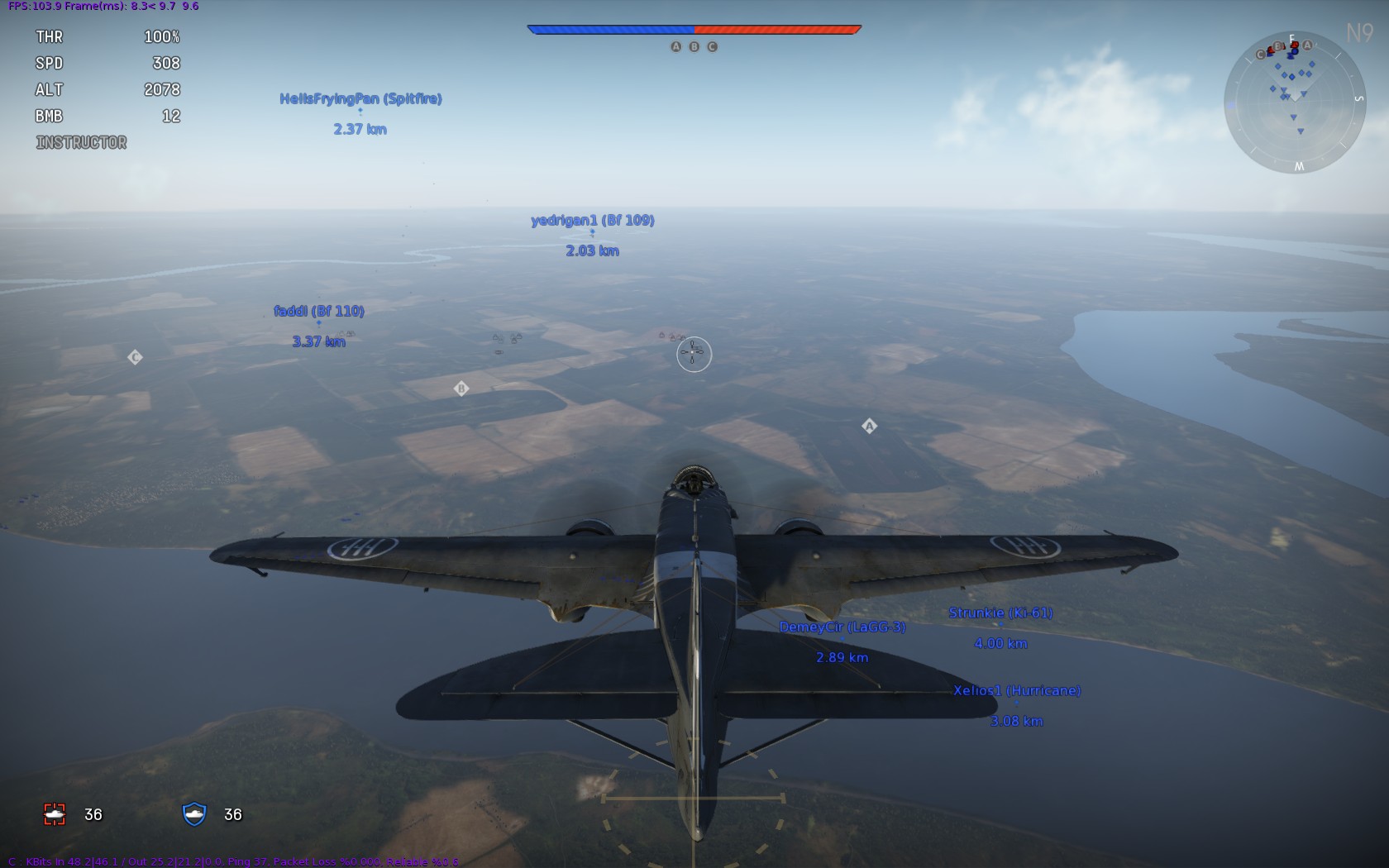
Spitfire Vb A6M3 Zero Bf-110

Fighters, as the name suggests, are designed to fight other aircraft. Most fighters are single-engine single-seat planes like the Spitfire and Zero, but you also have heavy twin-engine fighters, Zerstörer in German terminology, typified in the early tiers by the Messerschmitt Bf 110; these tend to pack heavier armament at the cost of manoeuvrability. Heavy fighters are well suited to going after bombers, where their lack of manoeuvrability isn’t an issue, if you’re flying one it can be worth climbing at the start of an Arcade battle in case enemy bombers try and hide up at high altitude.

Many fighters can also fulfil a fighter-bomber role when fitted with a few bombs or rockets, if you get bored of shooting at flying things. These may need to be unlocked; see “Weapon Loads” below. Hanging bombs from an aircraft will slow it down, so if performance is a priority (like fighters in Historical Battles) then just stick to guns, but if you’re in a ground strike Arcade battle you might as well fit a bomb or two if you have the option, you can always just drop them if you find yourself in a frantic fight (just be a bit careful you’re not over friendly ground forces at the time).

Bombers

Ju-88 Lancaster SBD-3 Dauntless

The main job of a bomber is to… anyone? 5 points if you said “drop bombs”. There are two main techniques, both covered in tutorials: level bombing from altitude using the bombsight (F7), and dive bombing. Level bombers, starting with light and medium types like the Blenheim and Ju-88 and eventually culminating in massive heavy bombers like the Lancaster and B-17 Flying Fortress, can generally carry more and/or heavier bombs, and have multiple gun turrets for defence which can be quite effective if an opponent just sits on your tail (especially if you man the guns yourself using F6, if you can afford to fly straight and level for a while), but as fighter armament gets heavier it’s not often a duel you can win. If you want a friendly fighter escort you’ll probably need to bring a squad-mate, team co-ordination is something of a rarity in Arcade matches, so one way of trying to stay safe is to climb as high as you can, especially in the early ranks when less powerful engines mean it takes a long time for enemy fighters to gain altitude; if the enemy team are all distracted in low level engagements you can drop your bombs and potter around in safety waiting for them to reload, but a couple of heavy fighters might have read the previous section and climbed up to meet you. Sorry about that…

High altitude bombing only really works against static targets, due to the time it takes bombs to fall; if there are ships or convoys of moving vehicles then you can line up for a low-level pass, but be prepared for a one-way journey, a nice fat bomber trundling along at low altitude attracts as much interest as a particularly impressive grapefruit spoon at an international cutlery convention. After you drop your bombs you can always switch to the rear turret and try and plink a few of the fighters who’ll inevitably attach themselves to your tail, and if you’re really lucky have a good laugh if they get over-eager and collide with each other.

Dive bombing is more accurate, if your aircraft is built for it; examples in the game include the Ju 87 Stuka and SBD Dauntless. If in doubt, have a look at the nice big bombing reticle on the ground in Arcade mode; when there’s a solid crosshair your bombs will land right in the middle, the more open the lines are the greater the dispersion, until eventually a diagonal line indicates bombs can’t be dropped at all. Level bombers are at their most accurate in level flight, dive bombers remain accurate while in a screaming dive towards their target; attackers and bomb-equipped fighters are only accurate in a dive at low altitude.

I like to gain a decent amount of altitude and fly slightly past a target (as long as there aren’t any prowling fighters), so after the attacking dive you use all the speed you built up to continue back towards your home airfield and (hopefully) comparative safety as fast as possible, rather than bleeding a lot of speed in a turn.

Attackers

Il-2 Sturmovik D3A Val Beaufighter

Attackers are ground attack aircraft that operate at low altitude, armed with bombs, rockets and/or cannons. Few aircraft were designed specifically for ground attack, the Il-2 Sturmovik being the definitive exception, precise designations get rather blurred between heavy fighters, light bombers, fighter-bombers and such, so other aircraft classified as Attackers in War Thunder are a bit of a mixed bag like the D3A Val dive bomber, P-47 Thunderbolt fighter-bomber and Bristol Beaufighter heavy fighter with quite varying capabilities. A key difference between Fighters and Attackers, in War Thunder mechanics, is the bomb reload time in Arcade; the exact value depends on the crew Reload skill, but is roughly six minutes for the former compared to one minute for the latter.

If you really excel at one particular aspect of the game you might want to concentrate on a single type of aircraft, but generally it’s useful to have a mix in your hanger to allow you to fulfil different roles within an Arcade mission, such as ground attack at the start of a Domination map to clear out some targets, then switching to a fighter to defend the airfields. With a selection of aircraft of different ranks you can make tactical choices, like starting off in your lowest rank fighter and hoping that everyone else gets their better aircraft shot down, so you’ll have more of an advantage later in your better planes, but then if everyone else is doing that then maybe you’re better starting in your top aircraft to rack up some easy kills…

Weapon Loads

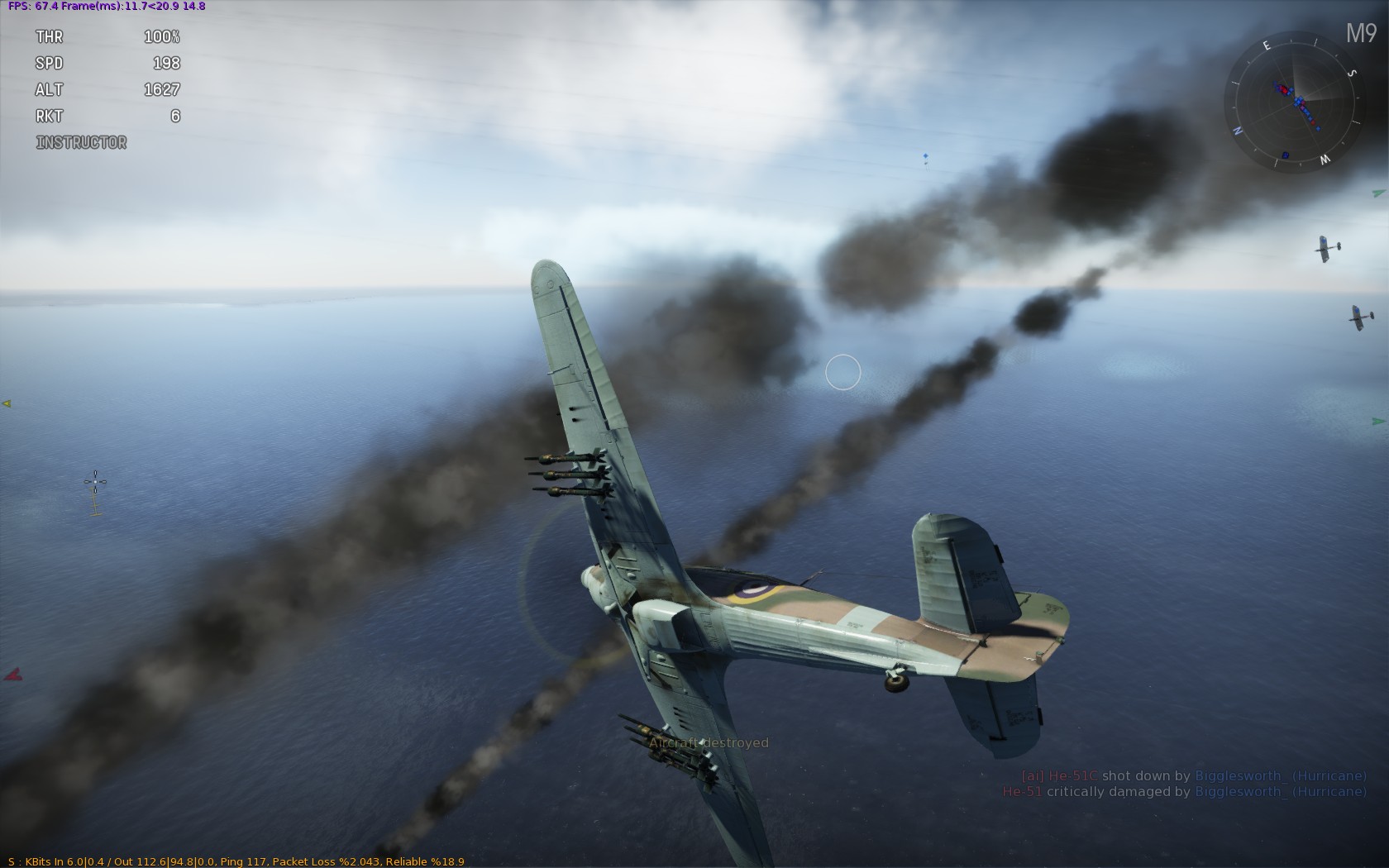
Some aircraft also have multiple possible weapon loads. Click the Weapons button (three bullets on the icon) to see the possible weapon selections; the Hurricane I, for example, can only ever have 8 .303 machine guns, but when you buy the Hurricane II at Rank 3 you get some more exciting choices:

The Hurricane Mk II can mount rockets or bombs in addition to its machine guns

The Hurricane Mk II can mount rockets or bombs in addition to its machine guns

As well as its machine guns, you can fit two bombs or six rockets. If you’re used to homing missiles in modern flight sims, by the way, these are unguided rockets, for air-to-ground attacks, although if you do happen to hit an aircraft with them (like a nice big bomber at close range) they will make a mess of it. You need to spend silver lions to unlock the options, but as they’re pretty cheap then unless you’re stone broke I’d suggest hitting the “Buy All Weapons” button. Once you’ve bought them, you can choose which to fit at the start of a battle or when you respawn:

Choosing weapons at the start of a battle

Choose your weapon: sword, pistol or six 60lb 3-inch Rocket Projectiles

I often like to start a battle in a fighter-bomber; head for the nearest enemy ground units, rattle off the bombs or rockets, then look out for any friendly bombers who might need an escort, and see how the battle is developing when it comes to respawning.

The Hurricane II has the extra options available from the start, but other aircraft like the Beaufort have to unlock extra fittings to get new weapons:

The Beaufort carries four 250lb bombs by default, the options to carry a torpedo or two 500lb bombs are currently locked

The Beaufort carries four 250lb bombs by default, the options to carry a torpedo or two 500lb bombs are currently locked

Looking at the “Modifications” section, you can see that the TBC pylons required to carry a torpedo require 22,000 aircraft experience:

* batteries not included. TBC pylons must be purchased separately. Your aircraft may be at risk if you do not keep up repayments.

* batteries not included. TBC pylons must be purchased separately. Your aircraft may be at risk if you do not keep up repayments.

I must confess that I don’t know the precise mechanics behind individual plane XP compared to country XP, player XP and crew XP. You can see the current total at the top of the the window (zero in the screenshot above in my newly purchased Beaufort); basically the more you fly and better you do, the more experience you get. Keep checking back in and eventually you’ll be able buy the pylons to fit bigger bombs and torpedoes. Most aircraft can also upgrade their engines and reduce air resistance for better performance, with enough XP.

Update: Patch 1.29 introduced new ammunition loads for guns, allowing you to upgrade the default ammunition belts to include all sorts of fun like Armour Piercing, High Explosive and Incendiary bullets and shells. You need to unlock the options with Aircraft XP then buy them with silver lions, much like other Modifications.

Different calibre weapons of different nations have various options available; most have “omni-purpose”, a mixture of various ammunition types that should be suitable for all target types, and a “stealth” option with no tracers so that you don’t alert your target if you miss with your first burst (if you hit them, the big holes in their aeroplane are usually a bit of a giveaway). There are also some specific air and ground options, and a few other exotic choices like All High Explosive Incendiary Tracer, All The Time.

I’ve yet to find a definitive guide on the exact effects of the various ammunition types and the best choices, but the second half of this post on reddit at least explains the various acronyms and shows the different options.

While on the subject of weapon loads, a lot of bombers have the ability to carry a lot of light bombs or a few heavy bombs. The Su-2, for example, with the right pylons can carry 12 x 50kg bombs, or 6 x 100kg, or 2 x 250kg. Though, as per the old maxim, quantity has a quality all its own, I tend towards the other maxim that bigger is better. If you can get nicely lined up on a road packed with a column of vehicles it can be glorious to drop a long string of bombs down it, but irritatingly the enemy are seldom generous enough to lay out their forces in nice, geometric, easily bombable patterns. Larger bombs don’t have to be quite so precisely placed, particularly useful from high altitude, and some targets need heavy ordnance to destroy them.

Regarding weights, just to confuse people metric and imperial weights are used by different nations (e.g. 250lb bombs on the British Beaufort, 250kg bombs on the Soviet Su-2). 1kg = 2.2lb, so as a very rough rule of thumb you can multiply or divide by 2 to get a general idea of comparative bomb loads, or type a phrase like “500lb in kg” into Google and its handy-dandy converter will give you a more precise figure.

To wrap things up, Part 4 covers the most important feature of the game: painting your aircraft, along with some minor sections on crew skills, premium options and the like.

Posted by Zoso at 1:07 pm

A Beginner’s Guide to War Thunder, Part 2

war thunder, zoso Comments Off

At the end of Part 1 we’d got the game installed, bought a new plane and set off into battle with the helpful advice of “point yourself in the vague direction of the enemy and hope.” That’s surely a complete and comprehensive strategic and tactical guide to air combat, isn’t it? No? Oh. Well. All right.

There are two Arcade PvP mission types in War Thunder (at the time of writing, subject to change over the course of the beta etc.): Ground Strike and Domination.

Ground Strike

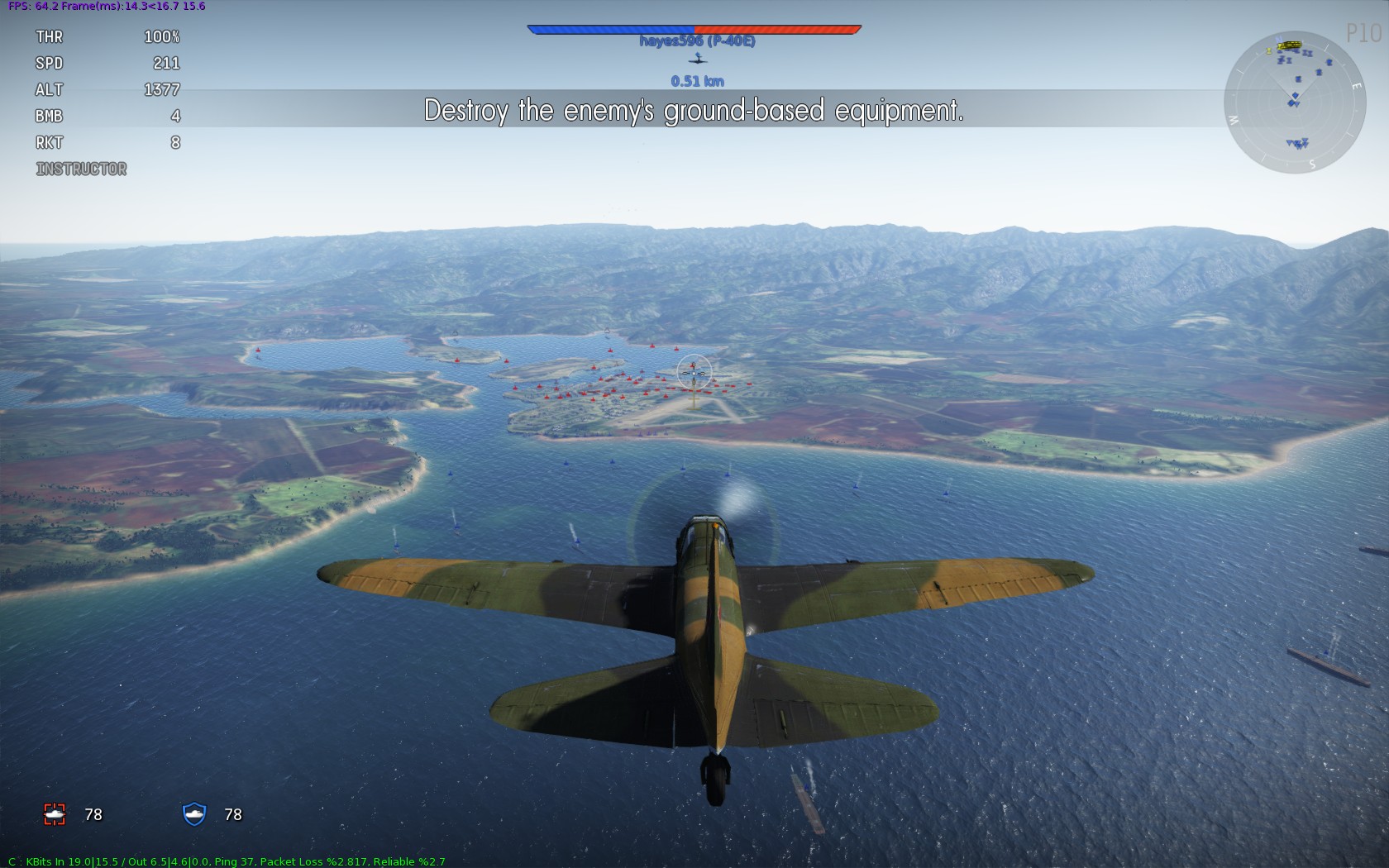
The start of a Ground Strike mission.  Look at all the lovely red dots to attack!

The start of a Ground Strike mission. Look at all the lovely red dots to attack!

A mode called “Ground Strike” suggests that the objective is to strike the ground as hard as possible with your plane. Turns out that’s not the case, although there’ll probably be a fair amount of crashing going on anyway. The objective is actually to destroy all of the enemy ground units before they destroy all of yours, or to shoot down all enemy aircraft. There’s sometimes another way of winning: destroying the enemy airfield. This requires dropping an awful lot of the biggest possible bombs on the enemy runway, I’ve never seen a team successfully manage it in lower rank fights, but it’s something to watch out for once the heavier bombers start appearing.

In the early rank 0/1 battles, when most people are in biplanes with a couple of machine guns and everyone’s keen to dogfight, it’s fairly common for everybody to pile in to a big furball in the middle of the map and keep flying around in circles until one side has been entirely shot down. As attack aircraft and bombers start arriving (and people expand their hangers) the ground targets really become the focus, it’s much more unusual for a higher rank battle to come down to the last team flying.

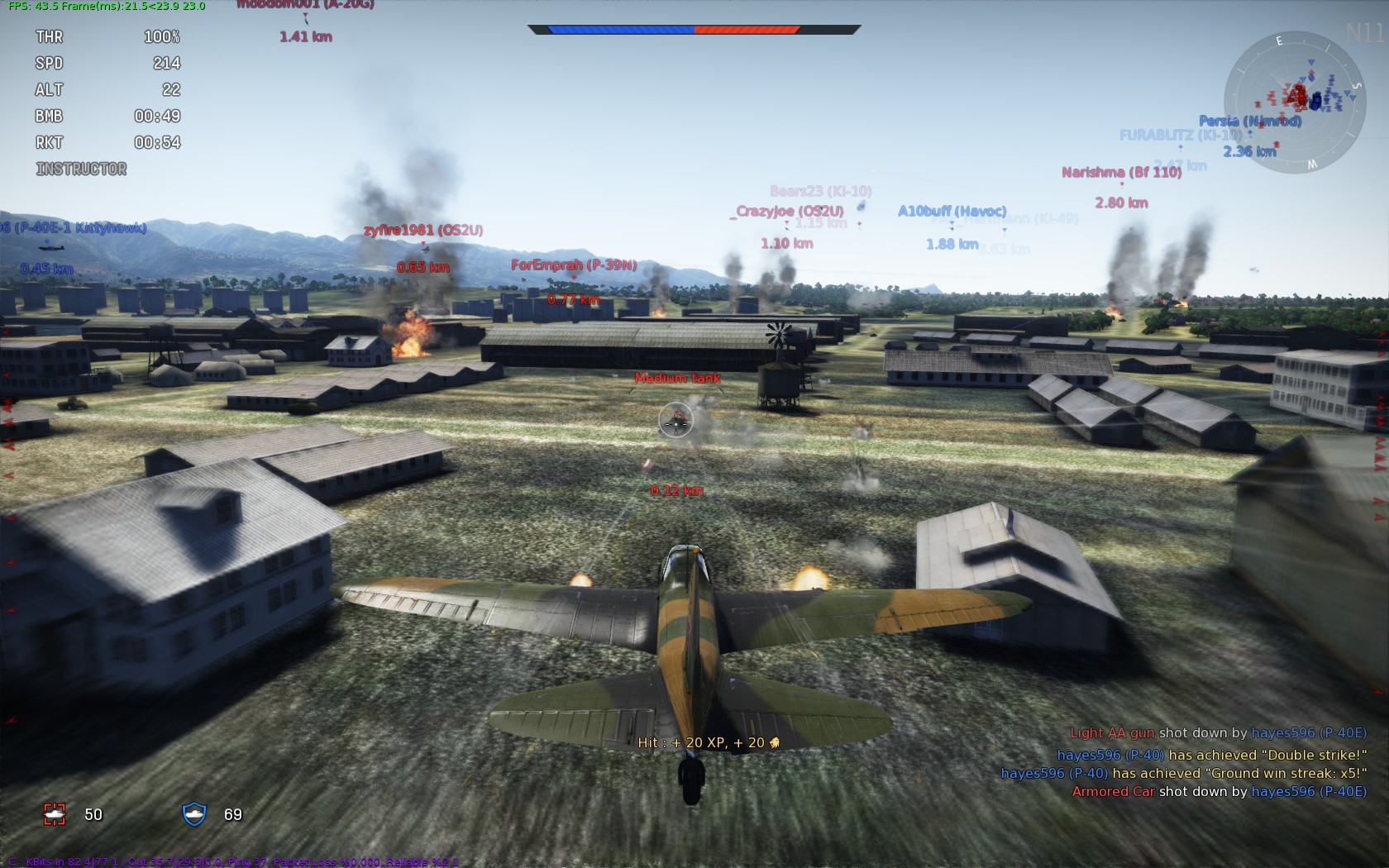
Even without any bombs or rockets you can still have a crack at ground targets in a biplane with a couple of popguns; Artillery and Anti-Aircraft Guns (either mobile or fixed) are soft targets (though careful of the latter, they shoot back); Armoured Cars are vulnerable to machine gun strafing, but take a few more shots; Light, Medium and Heavy Tanks and Pillboxes are tougher and need progressively larger cannons, rockets or bombs. Basic technique should be pretty obvious, point nose of plane towards thing on ground, shoot it with guns, then (and this is the important bit) pull up before you crash.

Strafing a tank

Strafing a tank

I like to fly with mouse aim and W and S as pitch down and pull up respectively, so mashing ‘S’ as you get near the ground can just give a bit of a helping hand, especially in some of the more lumbering planes that take a bit longer to respond to your mouse wiggling. You can always re-run the tutorials or have a go at some single player missions if you want a bit of practise without 15 maniacs trying to shoot you down.

Speaking of the other maniacs, before commencing a strafing run it’s worth checking around for no enemy fighters poised to pounce; look out for red dots on the mini-map, and hold down ‘C’ for a visual check about the place. Though you can’t exactly be stealthy in an aeroplane, you can check where everyone is on the map (‘M’) if you want to head off and find some undefended ground targets, but be careful as you get near the opponents spawn point as newly appearing fighters can really put a crimp on your day.

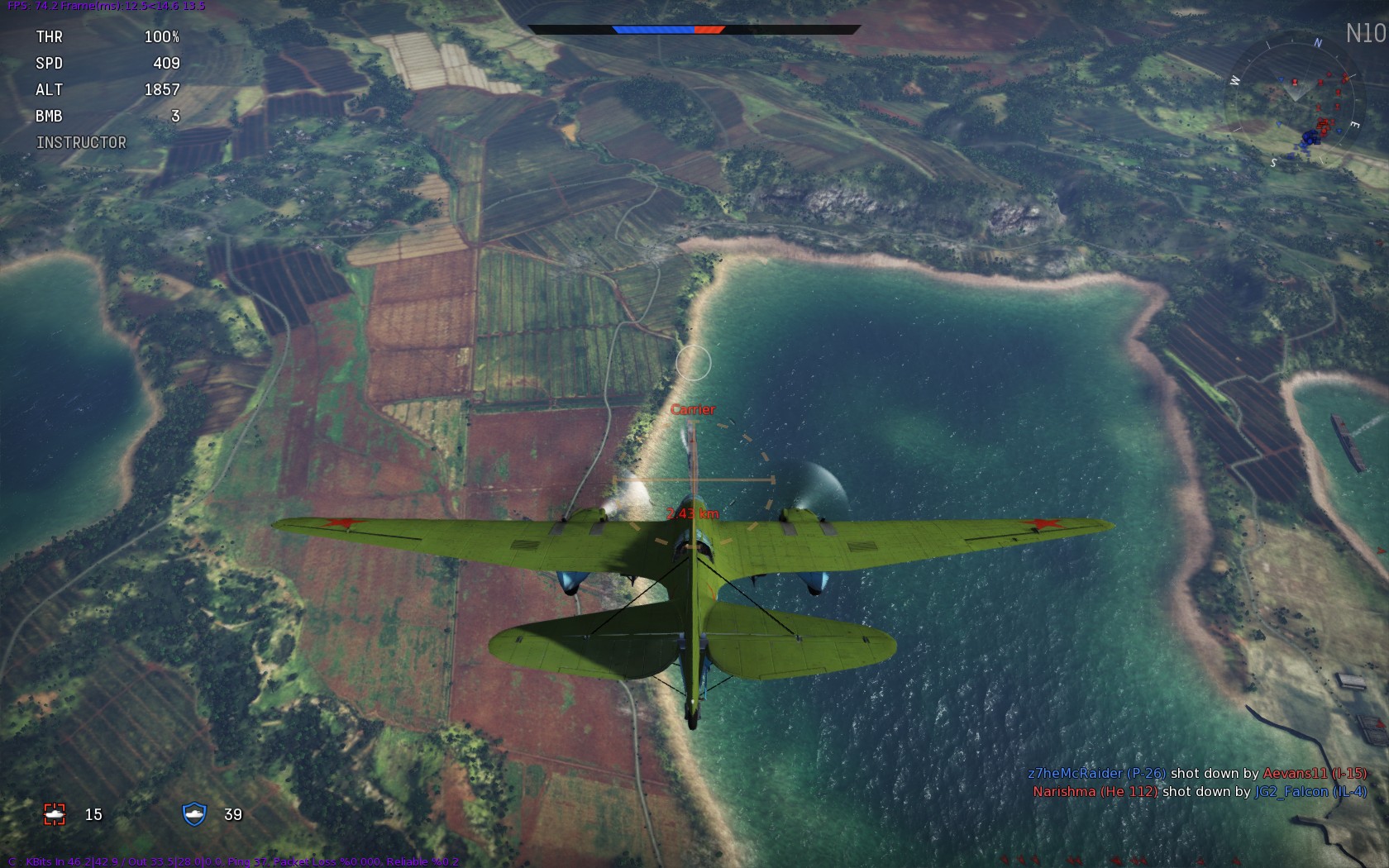
Carri'er?  I hardly know 'er!

Carri ‘er? I hardly know ‘er!

Domination

The other main mode is Domination, in which the goal is to capture airfields. So a bit like Capture the Flag, but with airfields instead of flags. Except you don’t have to bring the enemy airfield back to your airfield, you just hold onto it, so it’s territorial domination. Probably why they called it ‘Domination’, in hindsight.

A Domination map with three airfields (A, B and C)

A Domination map with three airfields (A, B and C)

On a Domination map there are two or three airfields, and the aim is to be holding more than the enemy, which causes their red bar to go down. If they hold more than you, your blue bar goes down. Once one bar reaches zero, the other team wins. So that bombers aren’t entirely useless there are also some ground or naval units on Domination maps, and destroying them also takes a chunk off the enemy score bar; destroying all the targets won’t win the round, but it can give you an edge.

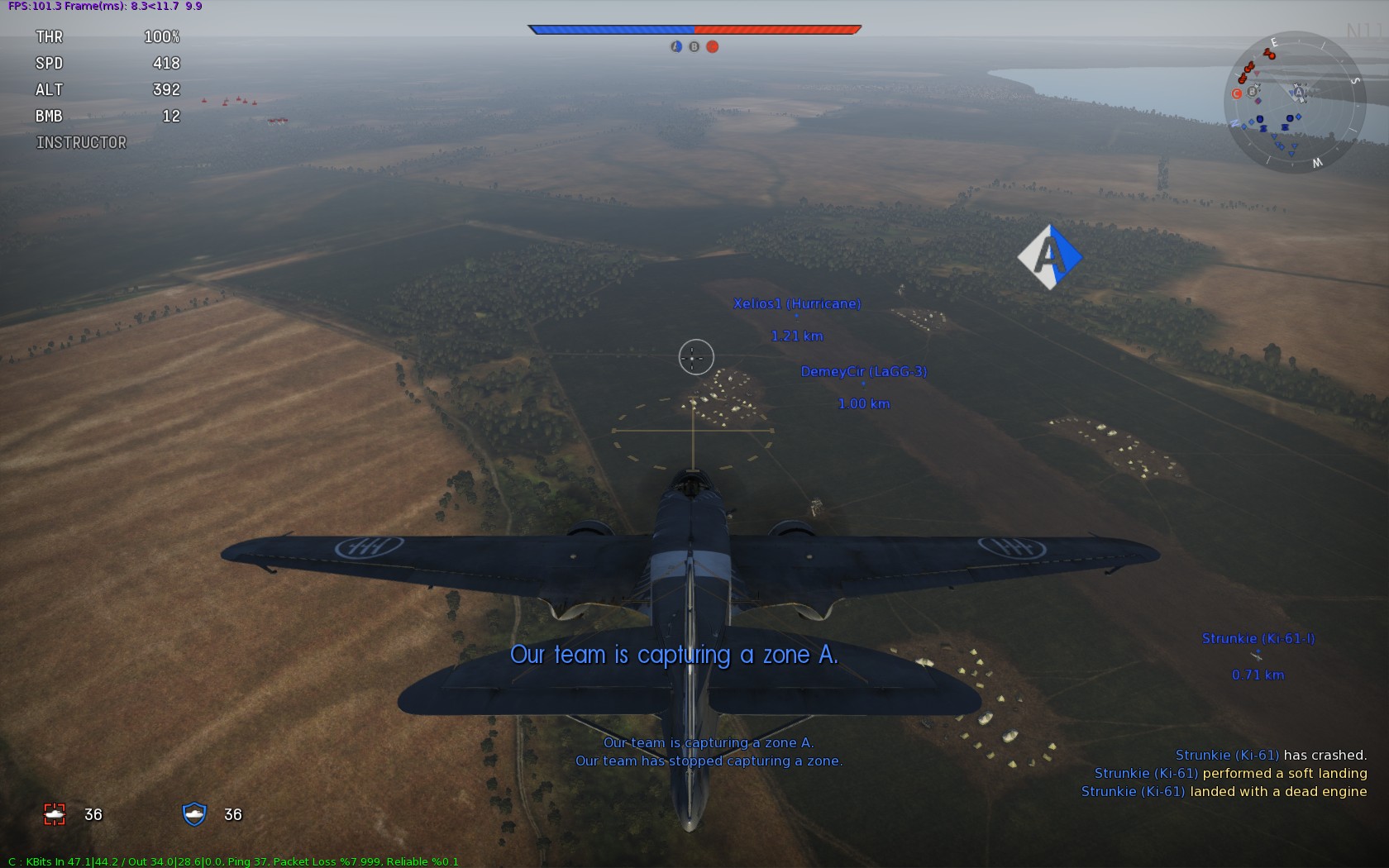
What the game doesn’t seem to mention is how to capture an airfield, and it turns out that you have to land on the runway. Now, do you remember your landing tutorial? Very carefully banking around, gradually losing altitude, gently reducing the throttle, lowering landing gear and gracefully touching down? Don’t do that. You’re trying to get to the airfield and capture it as quickly as possible, so max the engine and point at the ground, full speed ahead! Except of course you have to be going slowly to land, so then cut your engine completely, hit ‘G’ to extend landing gear (if it’s not fixed) and ‘F’ for flaps and pull a load of violent turns to dump speed as quickly as possible as you get near the ground. Needless to say this can get a bit tricky; all airfields start neutral, typically there’ll be one by each spawn point, so it’s not uncommon for a Domination match to start off with a bunch of people on each side going straight for the capture and an airfield littered with the burning wrecks of planes that misjudged their approach (or got in each others way and collided in mid-air). You might want to leave it to others to actually capture the airfield to start with, though there are nice XP and cash rewards for doing so, so give it a crack if you’re feeling confident.

Our team capture airfield A as I offer moral support and resist the temptation to drop bombs

Our team capture airfield A as I offer moral support and resist the temptation to drop bombs

I say you have to ‘land’ on the runway, technically you just need to have your wheels in contact with the ground, you don’t actually have to come to a standstill, so once the control point turns blue you can whack the throttle back up and take back off again to get into action. It also means you don’t have to bring your speed right down as you would for actually landing, but the faster you’re going the more risk that a slight twitch will result in a crash of flaming death is; swings and roundabouts… If, in the process of landing, you clip your propeller on the ground it’s not always fatal, though obviously you’re not going to be flying anywhere. Fortunately landing at an airfield repairs your aircraft (and you get an XP bonus for landing with a dead engine, even if it was self inflicted), so as long as you weren’t going so quickly that you head off the end of the runway into a hanger building or inconvenient tree you might be able to gently brake, come to a stop, then get back into action once the repair timer has counted down.

You ought to be doing one of two things on a Domination map: defending a friendly airfield or trying to capture an enemy airfield. Defending is probably the easiest, especially if you’re not too confident on landings, just hang around a blue airfield and shoot down anything red trying to land. As a landing plane has to fly slow and straight they’re pretty good targets; if you gain a bit of altitude and loiter a little way away the enemy might be so fixated on landing they don’t even notice you until it’s too late, but don’t loiter so far that you can’t make it back in time to stop them. If you’re on your own and there are multiple incoming bandits you can try and get a bit of help via the voice commands (‘T’ and then a number; ‘Defend the base!’ or ‘Cover me!’ are worth a shot, but don’t hold your breath). If you’re going to try and capture the enemy airfield, you really need to shoot down any defenders first; if you’re lucky there might be a big old dogfight going on in the middle of the map, allowing you to sneak around a map edge to an undefended airfield, but if there are any opponents in the area it’s probably not worth trying to land unless you’re really confident of your damage absorption powers.

If you end up in a bomber, either by choice or from a lack of alternatives left in the hanger, then you can always have a crack at ground targets. On a map like Stalingrad: Winter, though, the 30 vehicles on each side tend to be wiped out in fairly short order, leaving you lumbering around with poor air-to-air armament feeling a bit of a gooseberry. Fear not, though, in some ways you’re the ultimate airfield defender. An enemy aircraft has to land, after all, or at least get its wheels on the deck, and you have… bombs! You can’t destroy your own airfield in a Domination match, so line ‘em up, and as the enemy aircraft touches down thinking “ha, that bomber will never be able to stop me with its pathetic turret guns”, bombs away! You need to be at low altitude (or to have incredible skill at judging bomb drop time to account for the speed of the enemy plane); the bigger the bomb the less precise you need to be. I have to admit to giggling slightly on the few occasions I have managed to catch someone out like that.

General Air Combat

Of course regardless of the game mode there are a bunch of enemy aircraft trying to stop your team doing what it’s trying to do, which might be trying to stop their team doing what it’s trying to do, which all gets very circular. Anyway, you’ll end up shooting at aeroplanes at some point. There’s masses of literature already devoted to air combat, both real life and simulated so I won’t spend too much time on Thach Weaves, Immelman Turns, boom and zoom, turn n’ burn, salt n’ shake, Chaka Demus n’ Pliers and the like; Boelcke’s rules from 1916 aren’t a bad starting point, and there’s a War Thunder Wiki with some useful articles.

One thing to watch out for is overheating guns. As you fire, a red circle fills around your gunsight; this represents your guns heating up. The longer you fire the greater the chance of a jam; you might well have seen a ‘Gun Jammed’ message, which confused me to start with as my guns still seemed to be working. As I understand it, a ‘jam’ in War Thunder actually knocks a chunk off your ammunition supply. Whilst not a disaster, with machine gun ammunition resupplying after a short delay (cannon take a bit longer), firing in short bursts is generally a better idea than holding the trigger down, unless you really need to bring something down in a hurry, like an aircraft about to land on your airfield in Domination.

Speaking of really needing to bring an aircraft down, there is a last resort: ramming. Rather a divisive subject, liable to cause outbursts of anger in the chat window, but there is precedent and it’s undeniably effective if someone is about to capture your airfield, or is lining up to bomb the last friendly ground target. Many ramming incidents happen during head-on attacks, and if you’re playing a game of chicken then you’re at least as much to blame as the other person if you do crash. If you really like your plane you should take early evasive action in such a situation; if I’m in a shiny new high rank fighter I’ll break off and circle around for another shot, if I’m in something of a lower rank that’s suffered some damage, heck, I’ll keep the fire button held down, and if the other guy doesn’t turn that’s his problem… There’s always a risk of accidental collisions and friendly fire too, especially if there are three or four people chasing the same opponent, or if one person is performing a daring low-level strafing attack on a target that a high-altitude bomber is attacking; these things happen, it’s best not to get too worked up about it, but do be careful, even if just to avoid the cash and XP penalty from downing a friendly.

That should get you progressing through the ranks of your air force, we’ll continue in Part 3 with a few tips on aircraft and upgrades.

Posted by Zoso at 2:03 am

A Beginner’s Guide to War Thunder

war thunder, zoso 4 Comments »

I’ve been having a tremendous amount of fun in War Thunder, and would highly recommend it to anyone who likes either War or Thunder. Actually, on reflection, more the War than the Thunder; there are clouds, and sometimes rain showers, but I haven’t heard a sonic shock wave caused by lightning in the game yet so fans of meteorology should look elsewhere. If you’re after a bit of mutliplayer online World War II flightsim action, though, give it a go.

First step is to sign up for an account at warthunder.com. Couple of things to watch out for: you might get a big green tick next to your chosen nickname and think “Hurrah, nobody else has tried to be ‘Biggles’, I’m unique!”, but the system just slaps a number on the end if the name is taken, so you end up as ‘Biggles2′ (or, quite possibly, ‘Biggles146′). Also, you don’t choose a password at sign-up time, the system sends you an e-mail that includes your password; you might want to double check your spam bin if it doesn’t seem to turn up. Both nickname and password can be changed in your YuPlay profile, so you can correct your nickname to ‘B1gggl3z’ and password to ‘password’ or ’1234′.

(Public safety announcement: don’t do that, it’s silly.)

Next, download the client. It’s 7Gb+, so might take a while. Tum te tum… is it still downloading? Yes? Right-o. Pom de pom… Nice weather we’re having, isn’t it? Oh, it’s all installed now? Splendid.

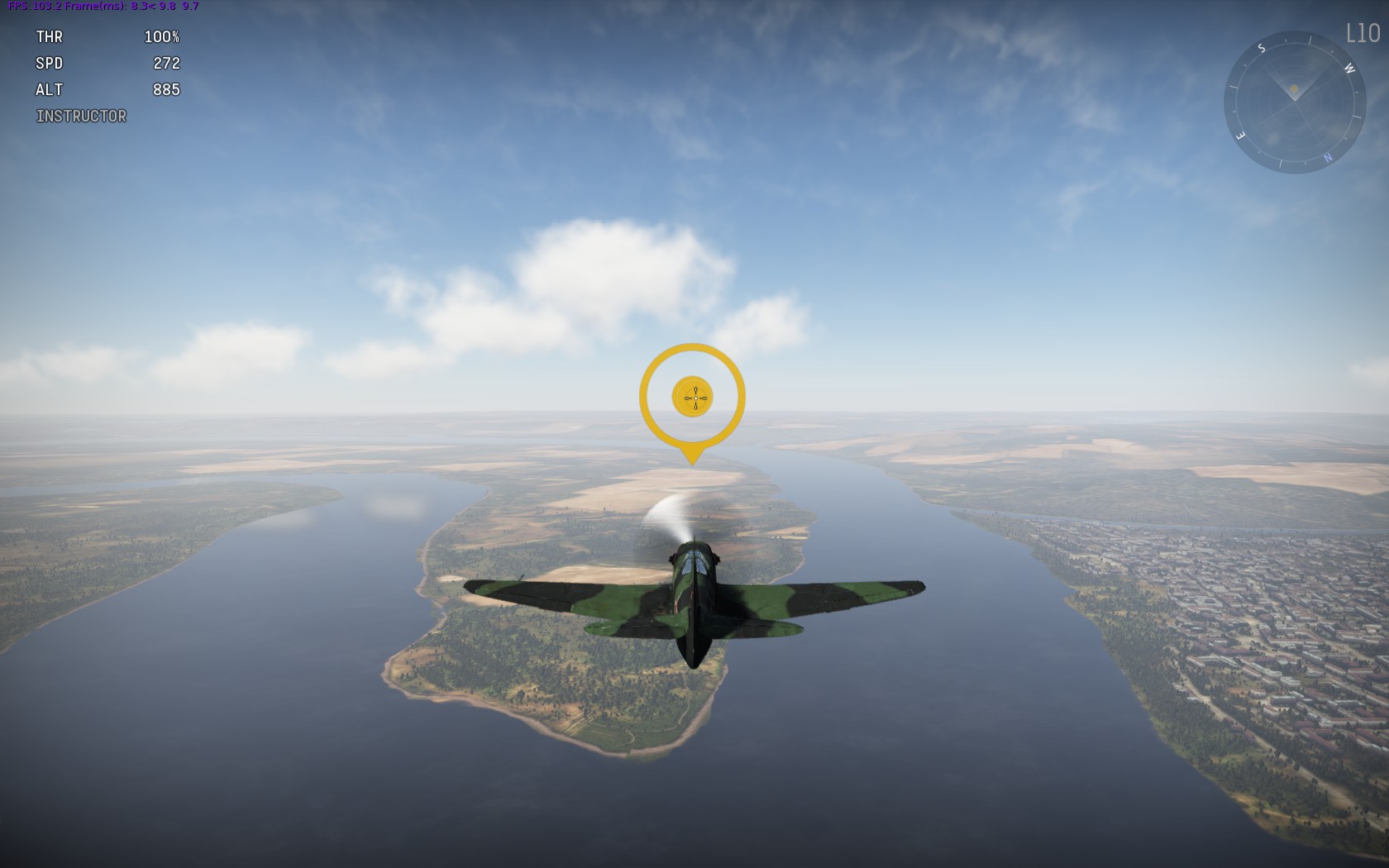
The first time you launch the game it asks if you want to run through a tutorial, which is a very good idea if you’re new to flight simulators, or haven’t played one for a few years. There’s a series of tutorial missions covering basic flying, taking off and landing (in other words, not only going up diddley up up, but also down diddley down down), ground attack etc., mostly very useful, though I’ve never had to land on a carrier in a mission yet (thankfully), so don’t panic if you have a bit of difficulty with that one.

Save the world from the scourge of giant yellow floating circles!

The tutorial: save the world from the scourge of giant yellow floating circles!

If you want to get straight in to action and skip the tutorials, or if you ever want have another go at them for some more practice later, you can always access them later from the “Game Modes” menu under “Tutorial”. There are three basic tutorials for the three aircraft types, and advanced tutorials for take-off and flight control, aerial combat and landing, carrier take-off and torpedoing and dive-bombing and carrier landing. You can also re-run the tutorials at different difficulty levels, if you want to step up to Realistic or Simulator mode sometime. As well as introducing you to the main game concepts you also earn some in-game currency from completing the tutorials, so they’re worthwhile even if you’re a veteran flier.

Speaking of in-game currency, like many games of this type there are two varieties: ‘Silver Lions’ are earned from playing, ‘Gold Eagles’ are bought with real money (though you’ll earn some Gold Eagles from the early tutorials). Don’t worry too much about that for now, but you might want to save up Gold Eagles until you’ve a better idea how you might like to spend them.

Once you’ve mastered looping the loop and defying the ground in the tutorials you can select your preferred nation and review the magnificent array of flying machines that make up your personal squadron. I’m using Britain, naturally, and if you were expecting to jump straight into a Spitfire you might be slightly disappointed to be starting off in a Hawker Fury, an open cockpit biplane, but like most aircraft in the game they do have actual combat pedigree from World War II; Håkans aviation page is a rather interesting place for information on biplane aces.

Grandmaster Hawker and the Furious Fury

Grandmaster Hawker and the Furious Fury

Before hitting that tempting “To Battle” button it’s worth grabbing another plane. If you completed the tutorials you should have some money, so click “Recruit Crew” to buy another crew for 10,000 Silver Lions; you can either stick this crew in another starter fighter (click the “Nimrod Mk. II (Reserve)”), or, for a bit of fun, let’s see if there’s something else we can get by clicking on the “Research” button.

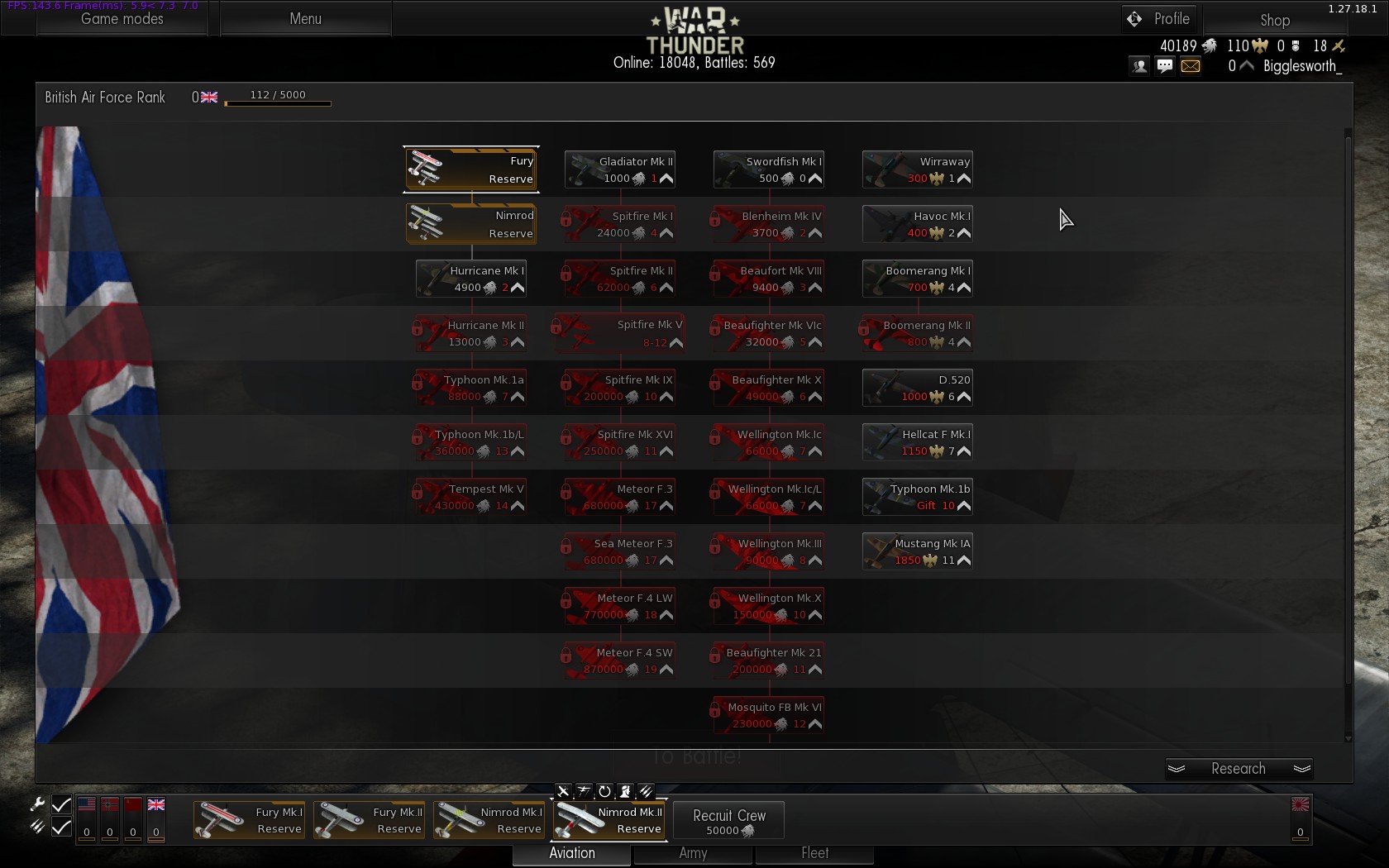
The British Tech Tree

The British Tech Tree – not to be confused with the British Techno Tree, which has a lot more Aphex Twin

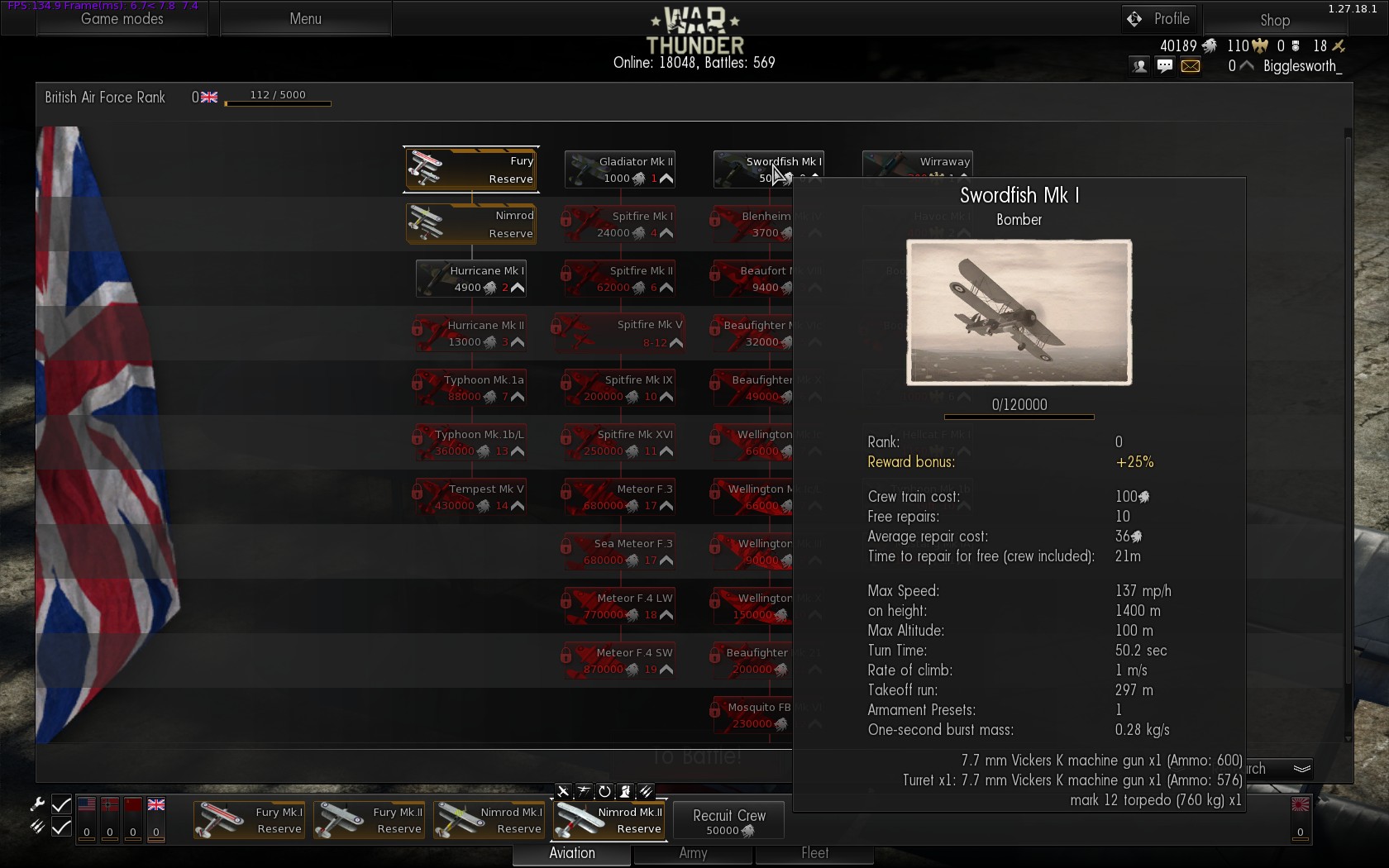
This takes you to the tech tree for your nation, all the lovely stuff you’ll (eventually) be able to fly. Have a browse of what’s available; the right hand column starting with the Wirraway are premium aircraft, purchased with real money Golden Eagles, the rest you can buy with Silver Lions (the first icon under the name of the aircraft shows the type of currency). The number in the bottom right, next to the silver chevron, is the rank you need to be to fly them; you gain XP from battles, and what do experience points make? Prizes! Also, air force ranks. At rank 2 we’ll be able to get that Hurricane Mk I, but even at the dizzying heights of rank 0 there’s something for us in the Swordfish Mk I, the venerable Stringbag. Click “Order”, and put it into service.

Stringbag!

Stringbag!

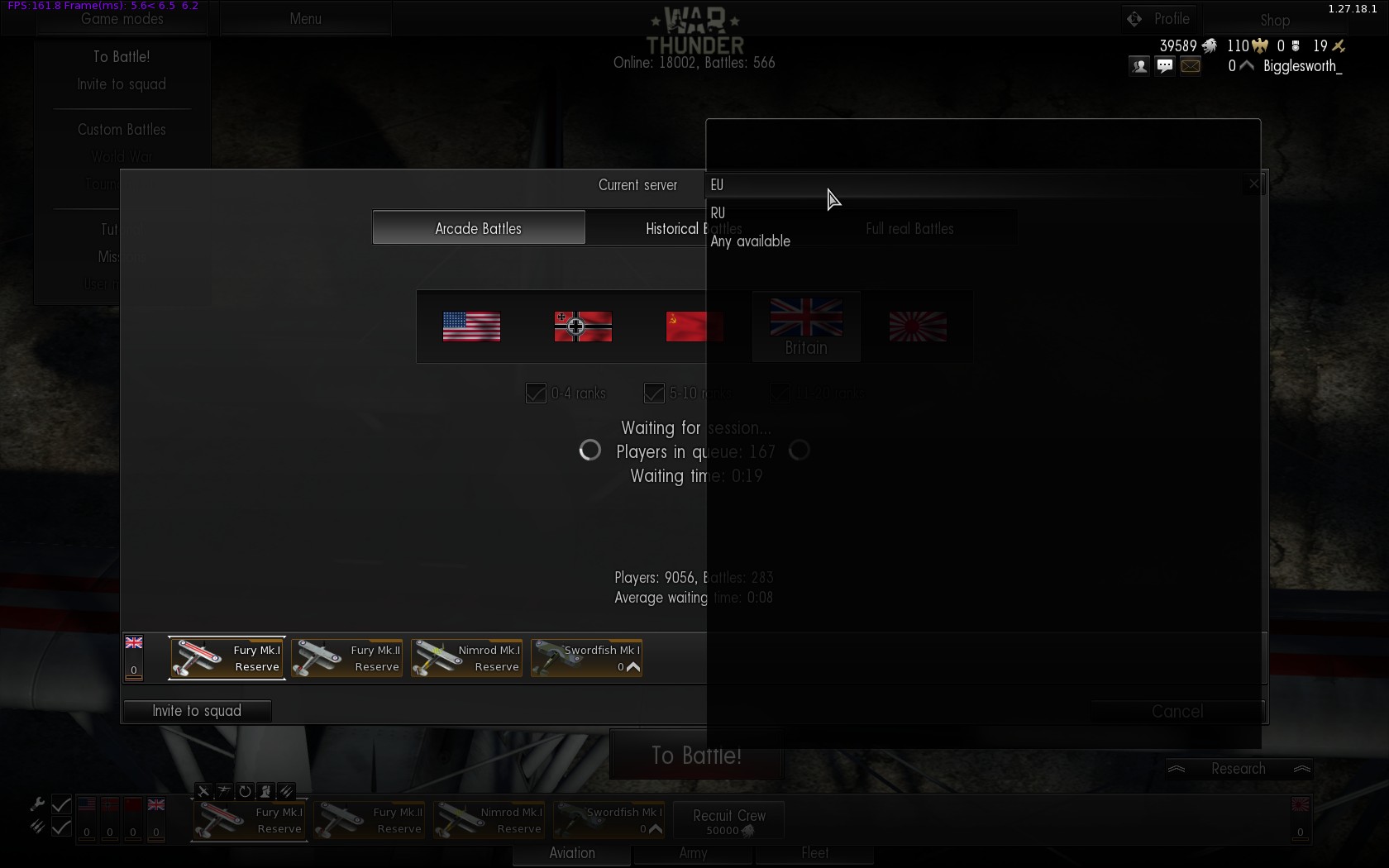
Now we can go shoot people! You can fly against AI opponents if you like via the “Missions” option under “Game Modes” in the top left, but the online PvP battles are the main focus. Click “To Battle” and, unless you’re feeling incredibly confident, leave it with “Arcade Battle” selected. One setting that you might want to change, at the top there’s a “Current Server” option; for the shortest possible queue you can change this to “Any available”:

I like my Current Servers like I like my women: Any Available

I like my Current Servers like I like my women: Any Available

Fighting alongside (and against) players on the Russian doesn’t seem to be a problem, I haven’t encountered any latency issues; you might not be able to understand general chat, but there are probably disadvantages too. Should some sort of tactical co-ordination be desirable you can always issue voice commands/requests in game via the ‘T’ key by default, or you could just shout detailed battle plans at your hamster for all the good it’ll do in a team of random strangers. Click “To Battle” again in the bottom right of the window.

After a (hopefully) short queue and a loading screen, you’ll get this starting screen for the battle:

To battle!

To battle!

At the top are your available aircraft; below the selected aircraft you can change its weapon load-out (if there’s more than one option), its camouflage paint scheme (if there’s more than one option), and stuff like the gun targeting distance (if you can be bothered; I don’t think targeting distance affects Arcade mode anyway). Don’t worry about those for now. To the right is the map over which you’ll be fighting, with the fighter and bomber spawn points highlighted. I wouldn’t worry about that too much either, we’ll just point ourselves in the vague direction of the enemy and hope.

Pick which aircraft you want to start off with; I’d suggest one of the fighters rather than the Swordfish, but I don’t think there’s any difference other than cosmetics between the Fury Mk I, Fury Mk II and Nimrod (a naval version of the Fury). Click “Select” in the bottom right corner, and after a countdown it’s chocks away and time to deliver the bacon! (Except you don’t have to worry about the chocks, as you start in the air in Arcade mode rather than having to take off).

Cabbage crates over the briney!

Cabbage crates over the briney!

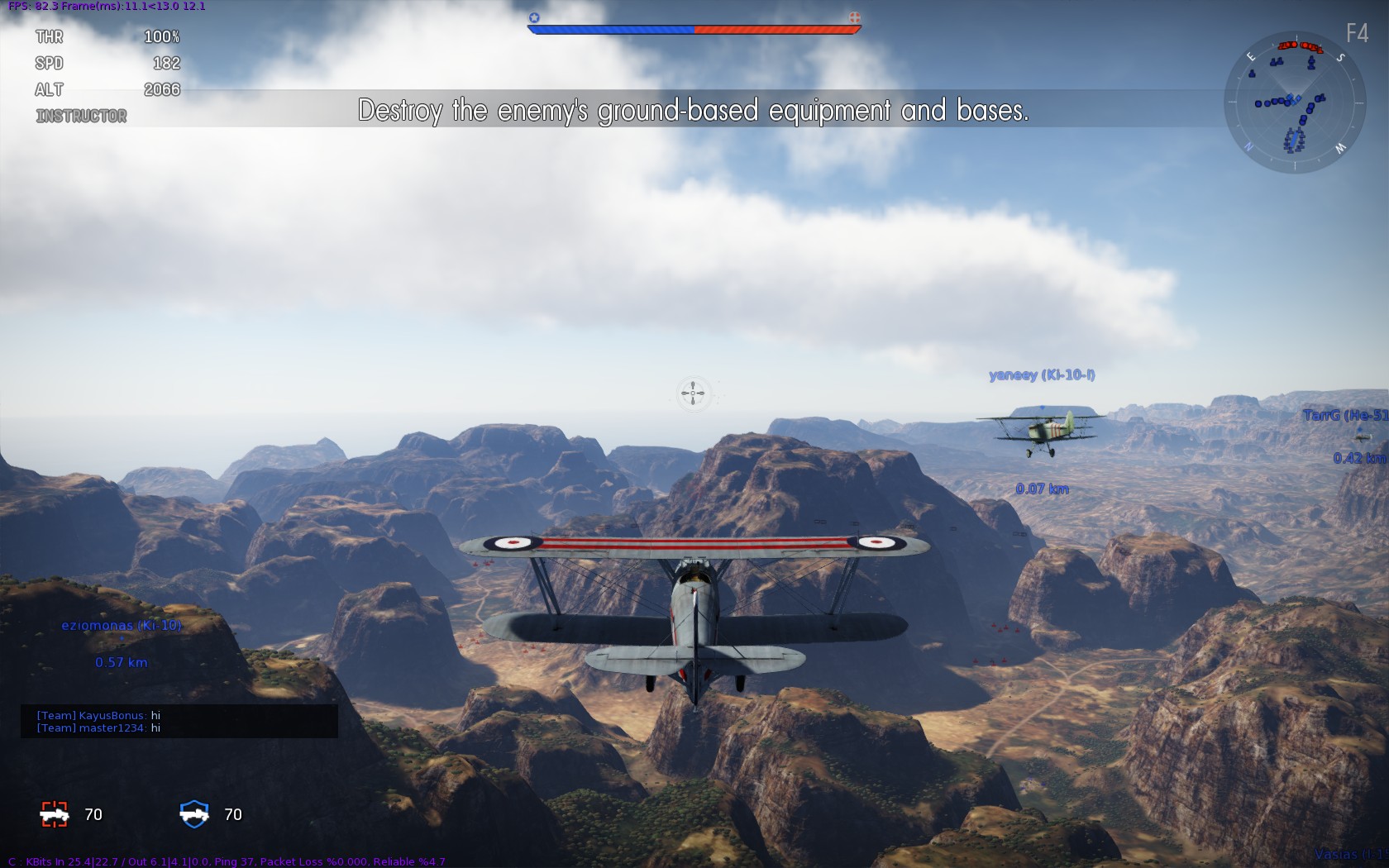
I’ll get on to highly advanced combat tactics in Part 2, for the time being: red dots on the ground are enemy vehicles (shoot them). Red dots in the sky are enemy aircraft (shoot them). Blue dots are friendly (don’t shoot them). Keep shooting things until either (i) all the red stuff is gone or (ii) you explode. If (i), congratulations, you win! If (ii) you return to the aircraft selection screen; pick your next plane, hit “Select” again, and return to the fray! Repeat (ii) until either (i), or all your aircraft have exploded.

If you find yourself on a map with ships, the torpedo mounted on the Swordfish will come in very handy (see the torpedo tutorial for how to employ it; short version: fly at low altitude, press space bar when pointing at enemy ship), but I don’t think you will have naval targets until you’ve gained a few ranks, so if you select the Swordfish you might as well hit space to get rid of the torpedo straight away and improve performance a bit. (I tried using the torpedo in a ground attack role, but there was just a bit of a ‘clang!’ as it bounced off an armoured car, not very effective.) More usefully, the Swordfish has a rear gunner, controlled by the AI by default; the AI isn’t a very good shot, though, so you might be better off taking control of the gun yourself by pressing F6. When you do, the plane will continue flying straight and level, so make sure you’re in a nice open bit of sky and not, say, at tree-top level with a big old mountain straight ahead. Wave the mouse around to control the gun, and give that bandit on your tail what-for.

That should get you through your first few battles, see Part 2 for an introduction to the two main Arcade battle modes.

Posted by Zoso at 2:41 pm
Design by j david macor.com. Original WP Theme & Icons by N.Design Studio
Entries RSS Comments RSS Log in